syGlass Summer 2026 Release: v2.7.0
Summer is here, and with it comes a slew of exciting new additions in the latest release of syGlass: v2.7.0. New features for tracking objects that split and merge through time, labeling landmarks across samples, accessing the full suite of syGlass tools on Sony’s Spatial Reality Display (SRD) via a 3D stylus, and much more, are all available in this new version.
Read on to learn more about the new additions, or check out the full changelog for a complete list of them. And of course don’t hesitate to send us a message if you’re interested in getting a new license, renewing an old one, purchasing the Sony SRD or a stylus kit, or if you have any questions at all about how to make your scientific workflows more efficient using syGlass.
3D Stylus Control for the Sony Spatial Reality Display
Earlier this year, through a collaboration with Sony XYN, syGlass launched support for the Spatial Reality Display: a stereoscopic display that brings your images right out of the screen with no head-mounted display or glasses needed.
Mouse and keyboard controls, while workable on these 3D displays, do not offer the same level of 3D control and immersion that VR controllers do. To solve this problem and to make the full library of syGlass’ analytical tools usable on the SRD, we are now introducing a 3D stylus kit that makes interactions on the SRD feel just as natural as those in VR.
Demonstration syGlass tools performed using the 3D stylus kit, which is now available for use with Sony’s Spatial Reality Display.
If you’re interesting in taking advantage of this integration, get in touch with us to purchase a display or stylus kit and for support in getting started. The marker bars that attach to the sides of the display for stylus tracking were manufactured specifically for this integration, and syGlass is currently the sole supplier of this component.
New Landmarking Tool for Marking Structure Across Samples
Adjustment of a grid of patch landmarks placed on a surface representing a bony structure.
Assessing the relative positions, sizes, and morphology of key landmarks across biological samples is a common task that benefits greatly from an immersive 3D visualization and annotation environment. That is exactly why we—working together with researchers who perform this type of task often—developed the new landmarking tool available in syGlass v2.7.0.
Landmarking protocols, which include structure names, marker colors, and both freely placed point landmarks and snap-to-surface patch landmarks, can be defined just once and applied to many samples. The combination of 3D control and visualization makes precise placement, adjustment, and review of these landmarks quick and intuitive. And in the end, CSV files containing the landmark locations can be exported for individual samples or aggregated across whole sets.
Support for Tracking Objects that Split & Merge
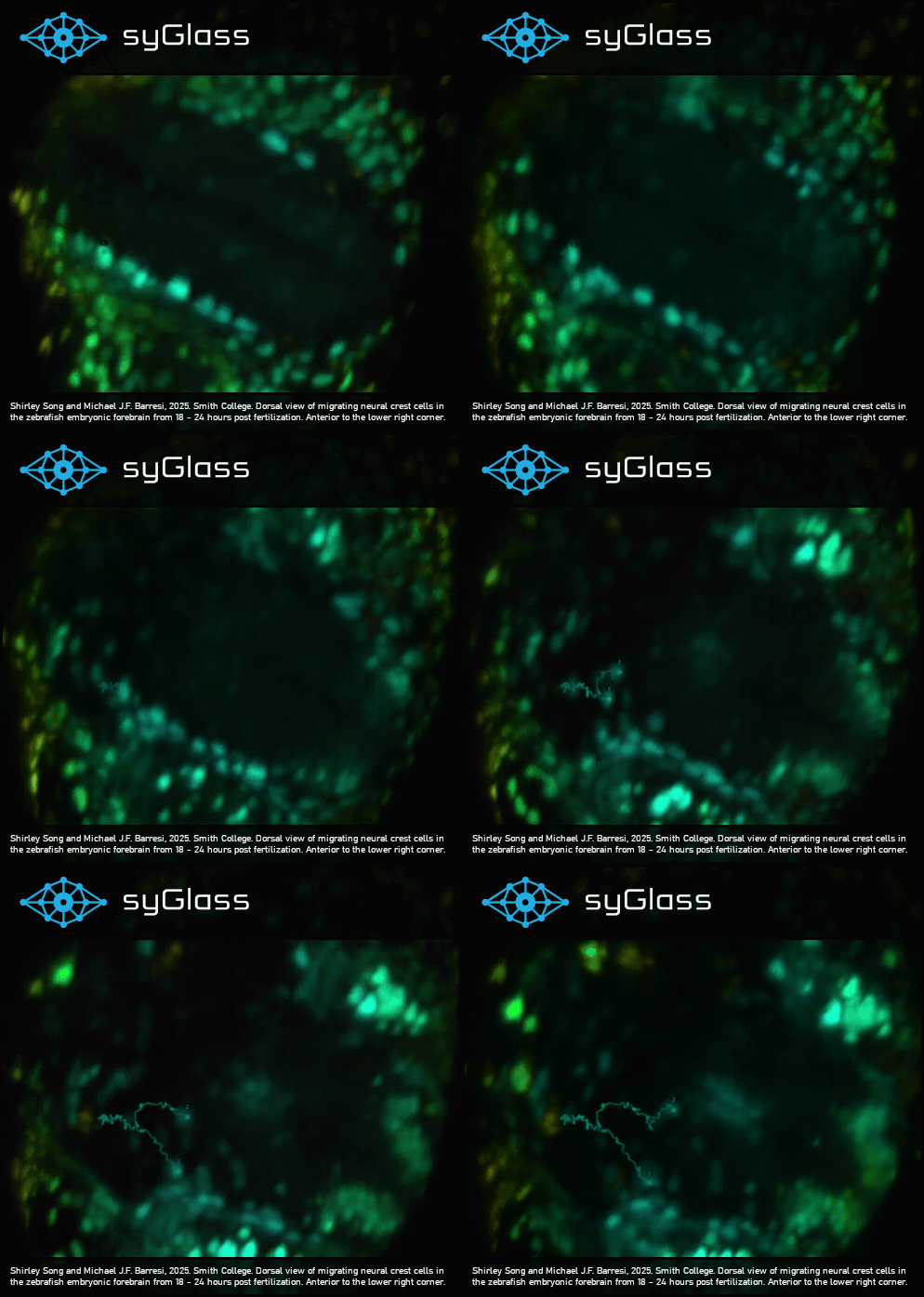
The syGlass v2.7.0 splash screen, showing migrating neural crest cells with a few tracking annotations.
Objects captured using time series imaging often split and merge, creating complicated lineages that must be accurately captured by annotators. Thanks to an overhaul of the syGlass tracking tool in v2.7.0, these lineages can now be created, modified, visualized, and imported/exported directly in syGlass.
Much of the tool works as usual: place a point in a given time point, and the next frame will be loaded. Continue placing points until you’ve reached the end of the series of the end of the existence of your tracked object in the image.
Now you can return to an existing time point, click the existing point, and branch off to a new split object in the subsequent time point. Similarly, you can merge into an existing time point in the next frame for objects that combine into one. All of this information is captured in the new tracking annotation export routine, in a format that is still compatible with old exports.
Optimizations for Exploration of Massive Multivariate Data
Real-time VR exploration of a 3D UMAP, containing more than 600k data points, in syGlass. Data from Loïc A. Royer, et. al, “Zebrahub-Multiome: Uncovering Gene Regulatory Network Dynamics During Zebrafish Embryogenesis.”
Much like volumetric image data, 3D scatter plots are difficult to understand and explore on 2D screens, and benefit greatly from stereoscopic visualization environments like the ones provided by syGlass. New optimizations of the 3D scatter plot system in syGlass v2.7.0 allow rapid real-time exploration of hundreds of thousands of data points at once.
New Auto-Update System
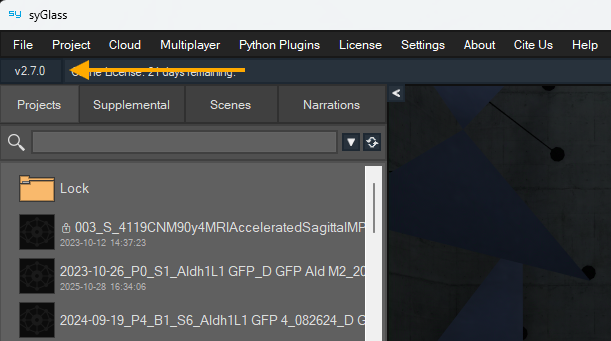
The location of the version indicator in syGlass.
A new auto-update system embedded in syGlass will make future updates beyond v2.7.0 both easier to detect and easier to install. When syGlass is launched and updates are available, a message will appear offering to install it for you. This occurs without the download of a large installer file, and in a matter of minutes, syGlass will relaunch into the new and updated version.
If you decline this automated install when the message appears, you can always perform it later using the version indicator at the top-right corner of the syGlass window. This version indicator will appear green when updates are available and a dark blue color when you’re currently up-to-date.
One-Handed Scaling via the Transform Tool
A demonstration of one-handed scaling using the Transform Tool in syGlass v2.7.0.
Scaling projects in syGlass has traditionally required two controllers, both equipped with the Transform Tool. In syGlass v2.7.0, a new scaling option is available: hold the grip button on the side of the controller’s handle while pulling the front trigger, then move your controller in towards the center of the project to shrink the data or away from the center of the project to enlarge it. This allows you to keep other tools equipped in your other hand without sacrificing your ability to adjust scale on the fly.
… and Lots More
Many other changes are also included in this update: a new user avatar system, improvements to reading of some file formats, and a whole lot more. The full list of updates can be found in the official changelog.
If you’re still current on your license for syGlass updates and support, you can take advantage of these changes immediately by installing the latest version. If your updates and support term has expired, one quick renewal will give you access to all the releases you’ve missed plus the next year of updates. Stay tuned for this year’s fall update in just a few short months!